Find text
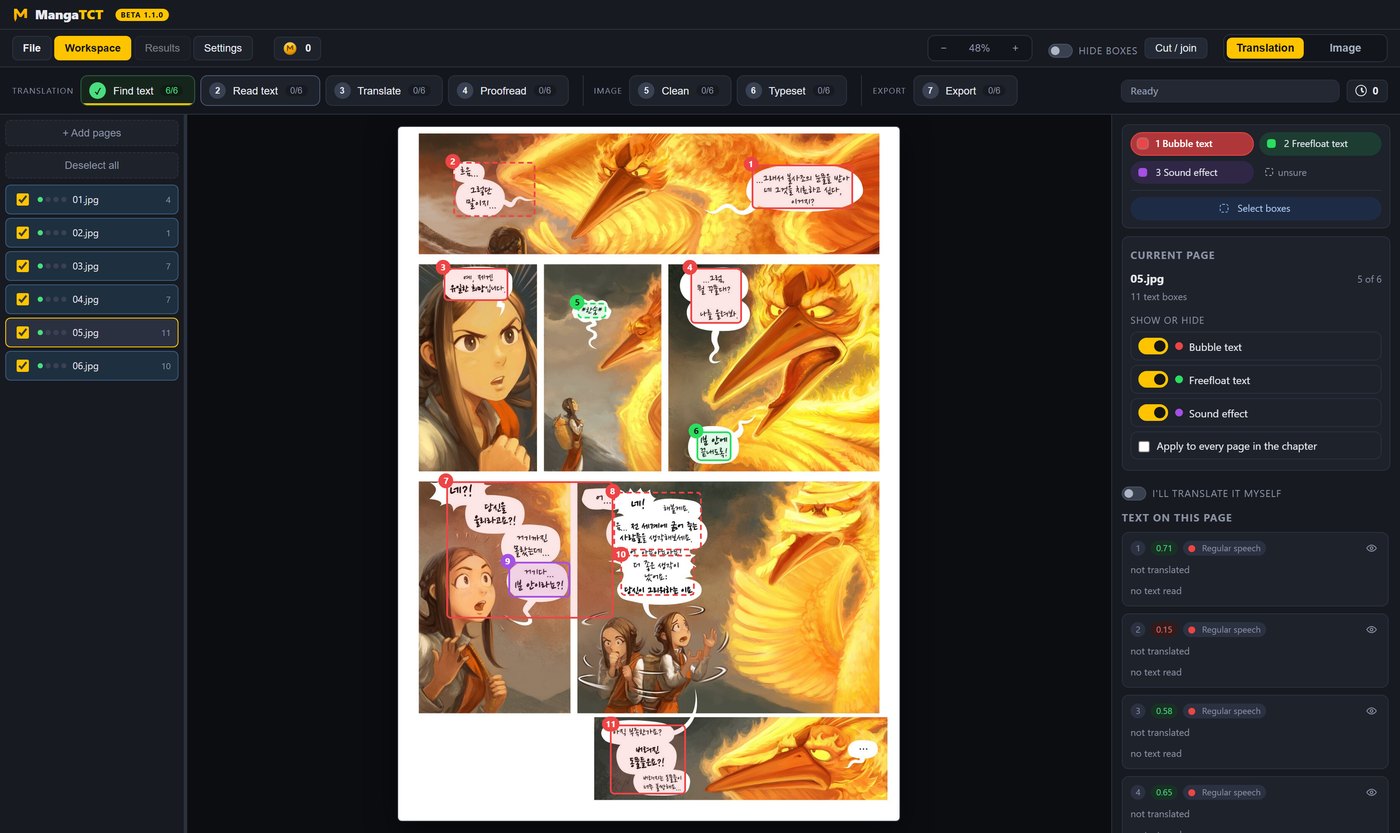
Every block of writing on the page, boxed - dialogue, captions, thoughts on the art, sound effects.
Manga | manhwa | manhua
MangaTCT finds every block of text, reads it, translates it with your glossary and your character sheet, wipes the original off the art and sets the English back into the balloon. Then it hands you all of it: every line, every block, every bubble, down to the outline color.
Windows 10 and 11. Version 1.1.0 (beta).
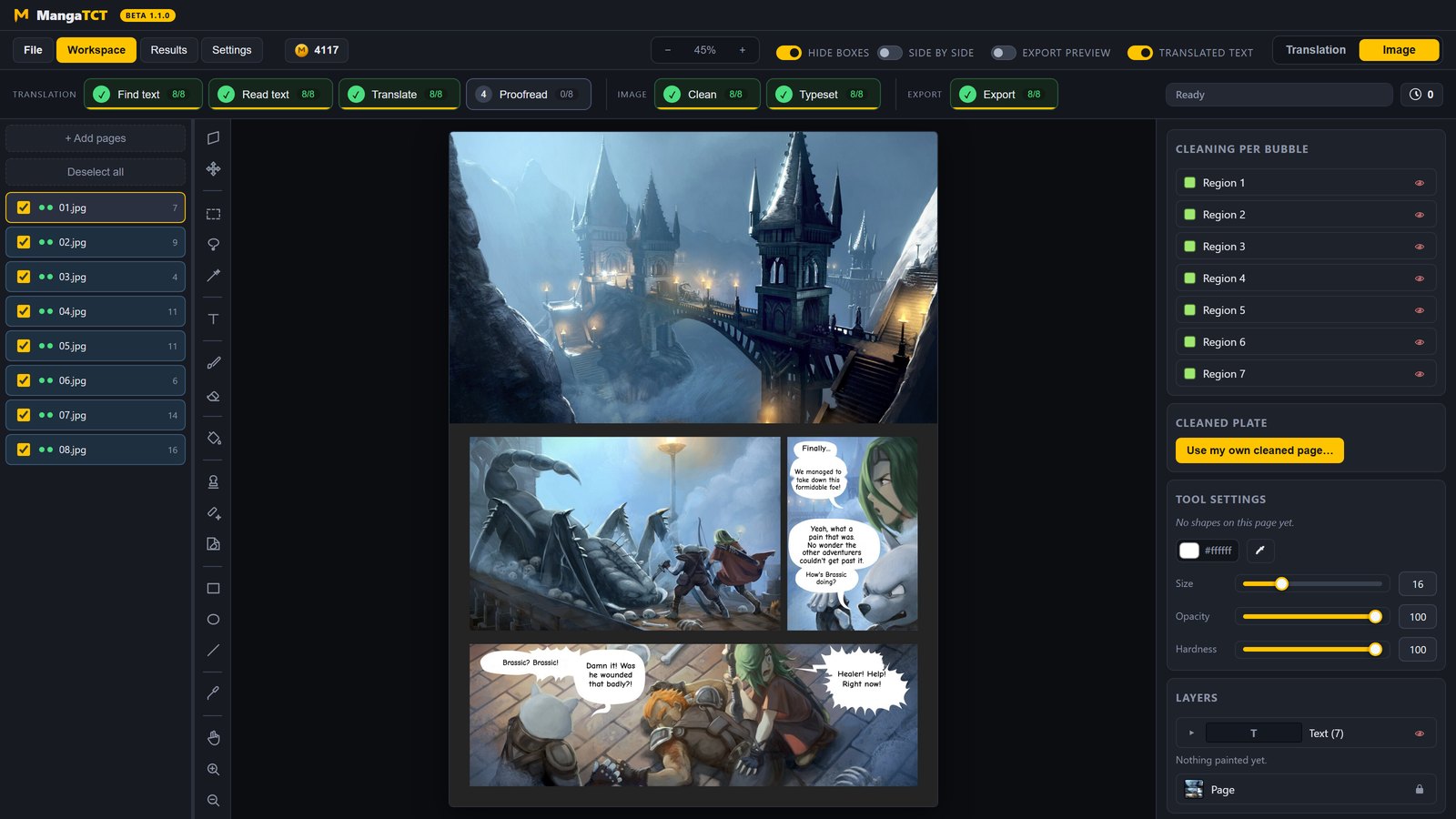
The comic in the pictures on this page: Pepper&Carrot by David Revoy, CC BY 4.0.
Drag it
One file, both ends of the pipeline. Pull the handle across.
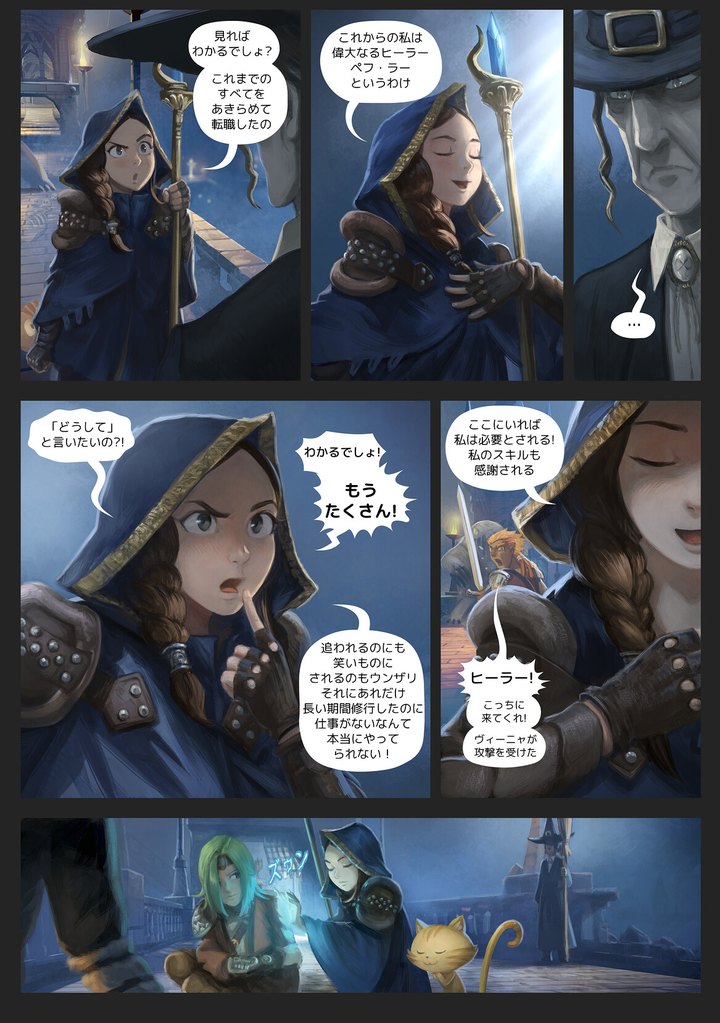
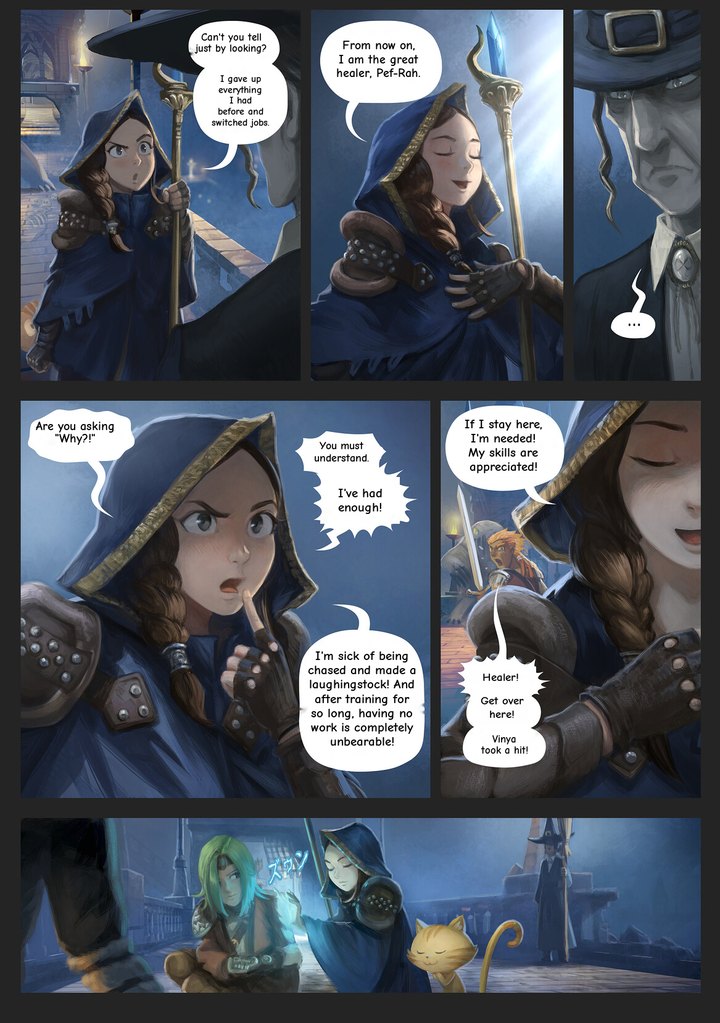
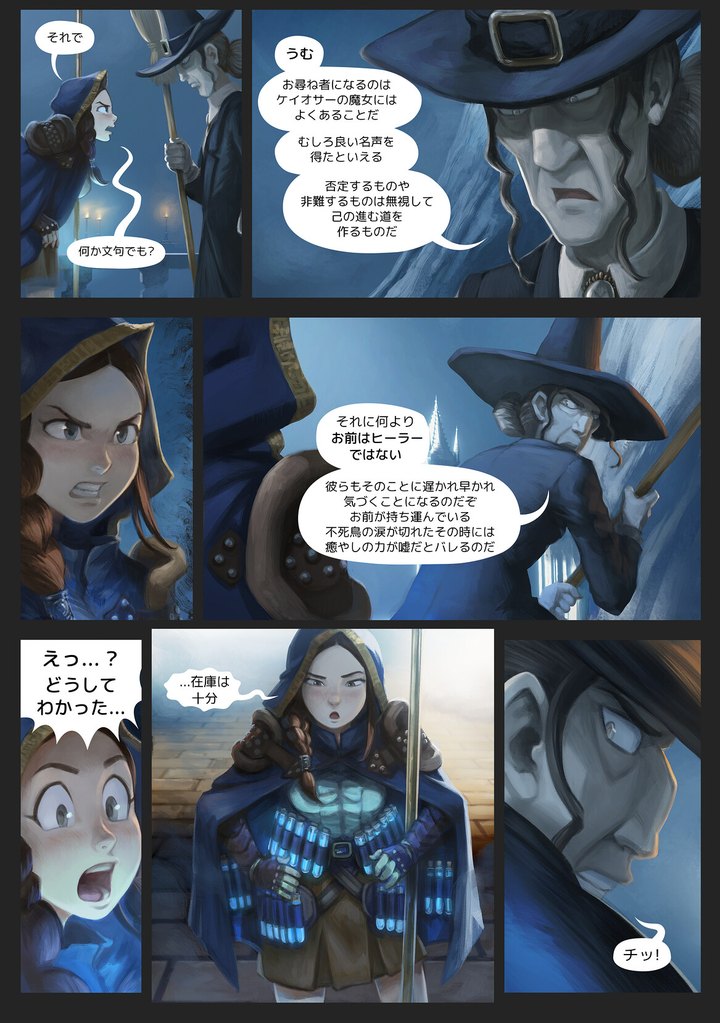
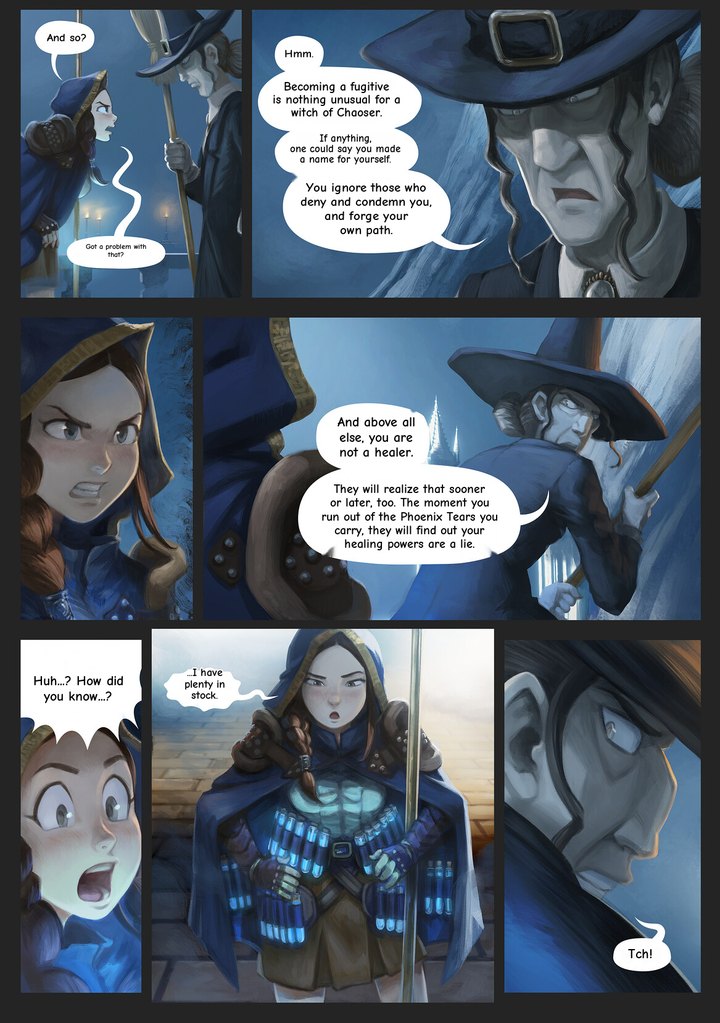
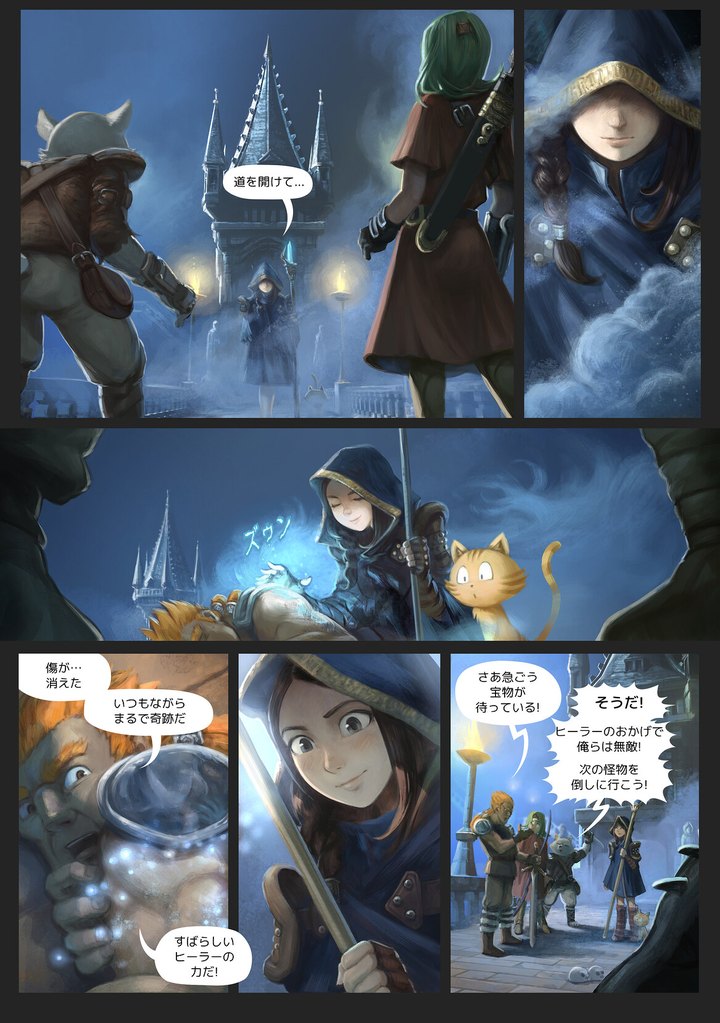
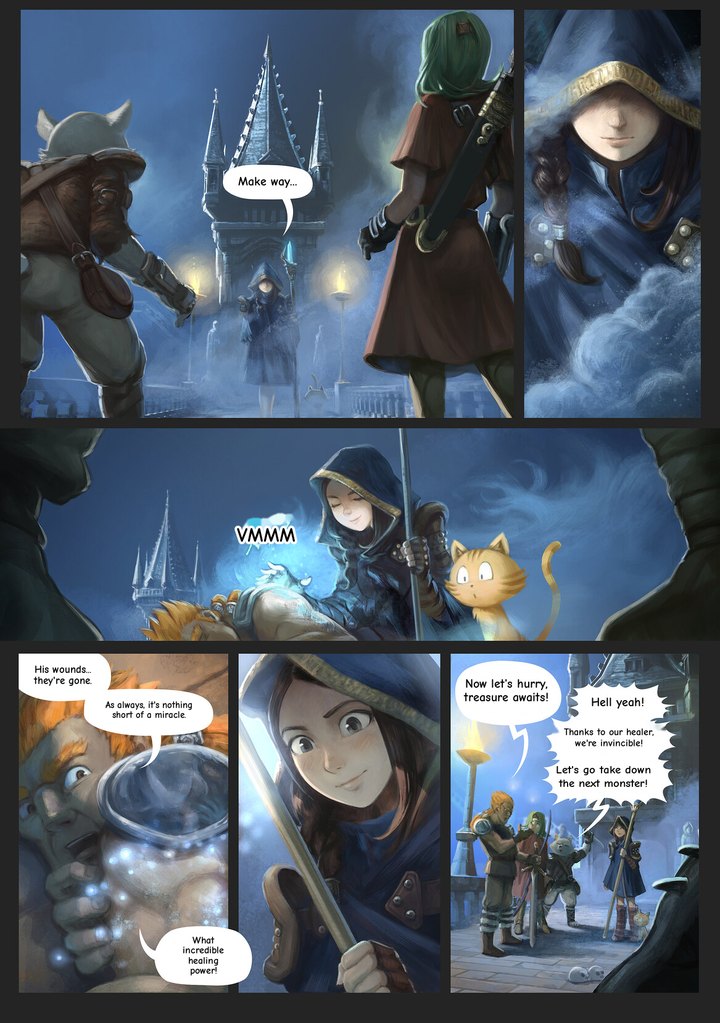

Find and read, clean, typeset. Each stage is a step you can run, undo and run again on one page or the whole chapter.

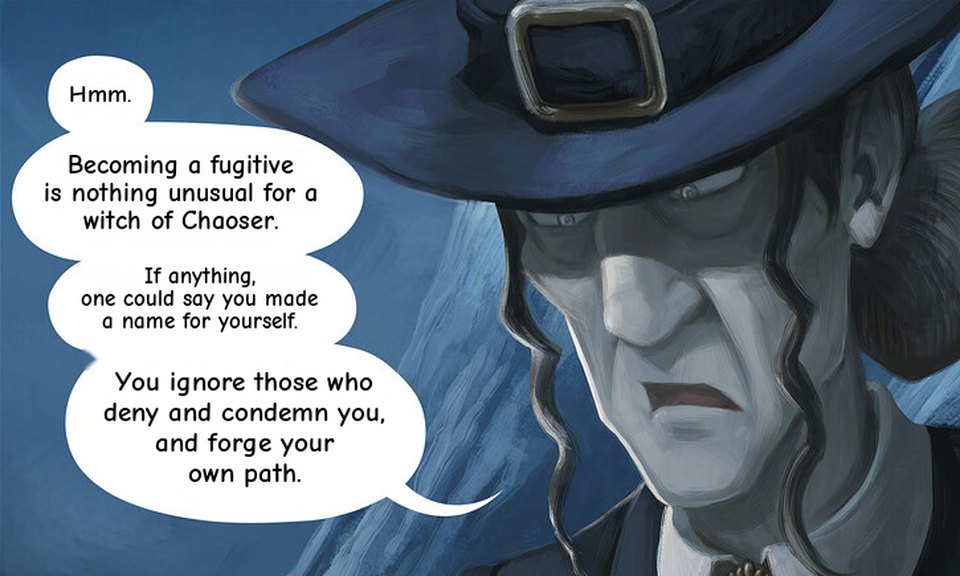
Same balloon, four lengths of English. It changes the breaks and the size - the label on each frame is the size it chose - and never the words.

A font is a decision about a block, not about a chapter. Change it on one bubble and nothing else moves.
The pipeline
The bar says where the chapter is - a count on every button and a fill under it. It does not decide what you are allowed to press: run any step, in any order, on any pages you like.
Translation
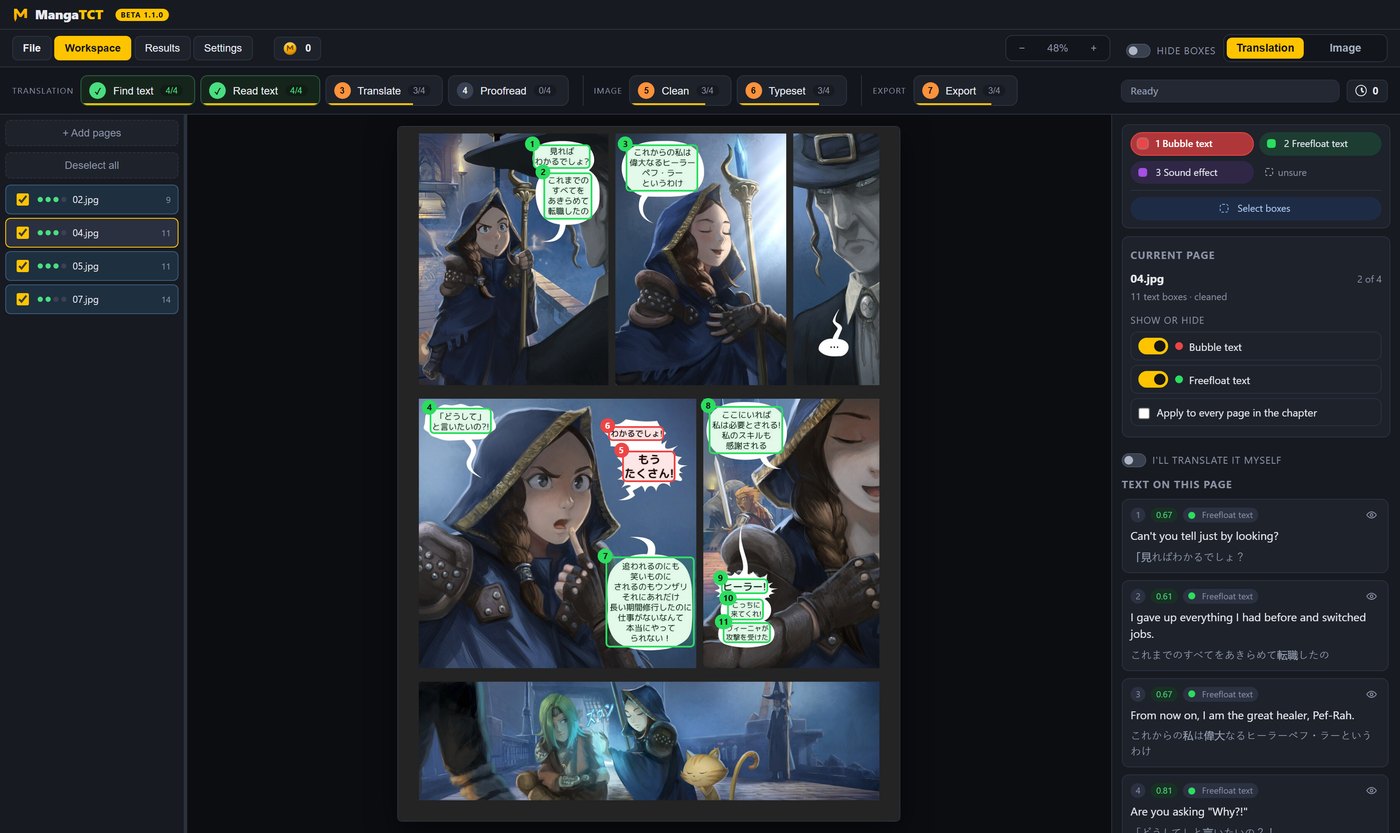
Every block of writing on the page, boxed - dialogue, captions, thoughts on the art, sound effects.
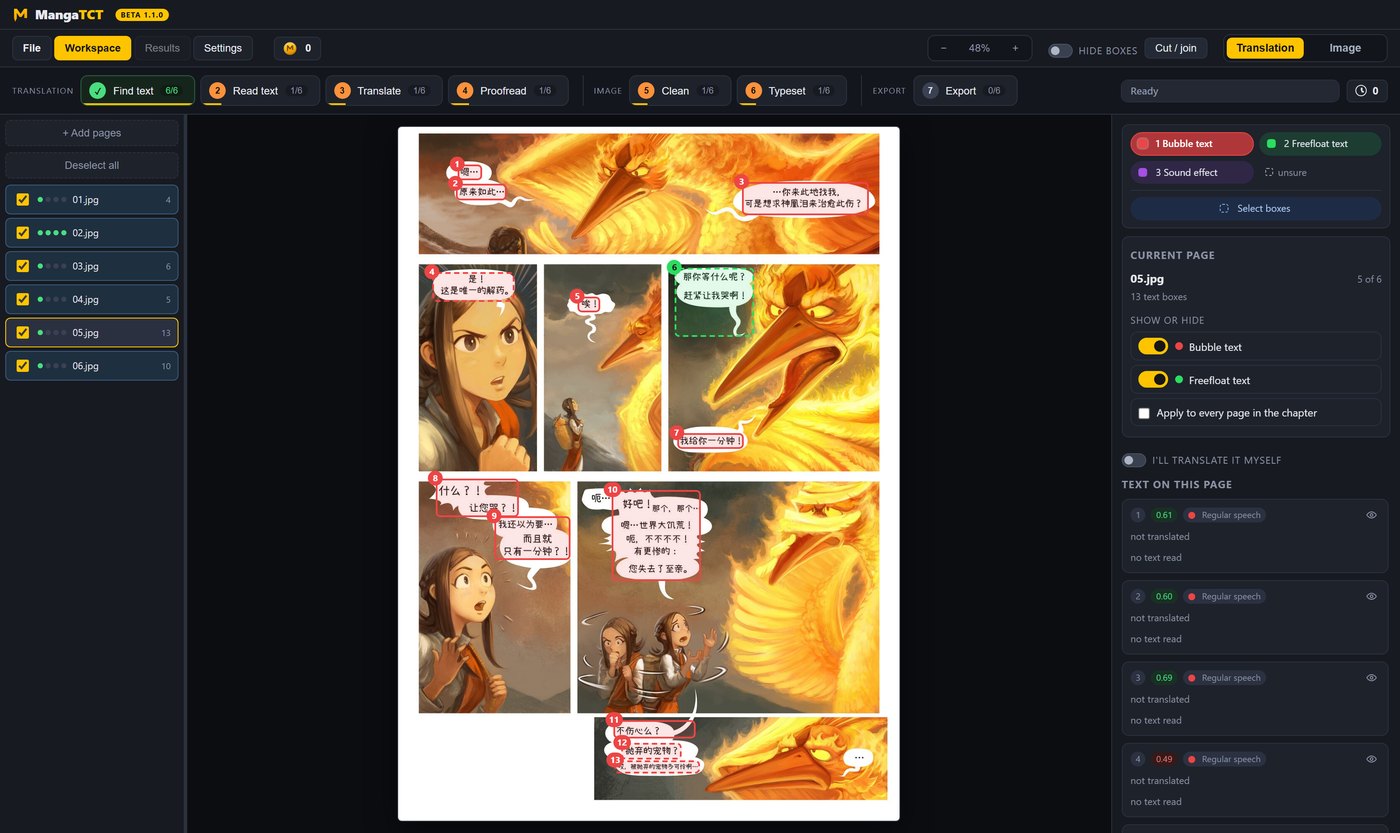
The Japanese, Korean or Chinese out of each box, read as a close-up of every box. Or read on your own computer, for nothing.
Every box on the page in one go, with the synopsis, the character sheet and the glossary in front of it - so honorifics and names stay the same on page 39 as on page 1.
A second pass, only if you want one. It reads the page as a page: pronouns with no owner, a name one letter off the sheet, a line that does not answer the one before it. It writes a report you can read, and it changes nothing without you. Skip it and everything else works exactly the same.
Image
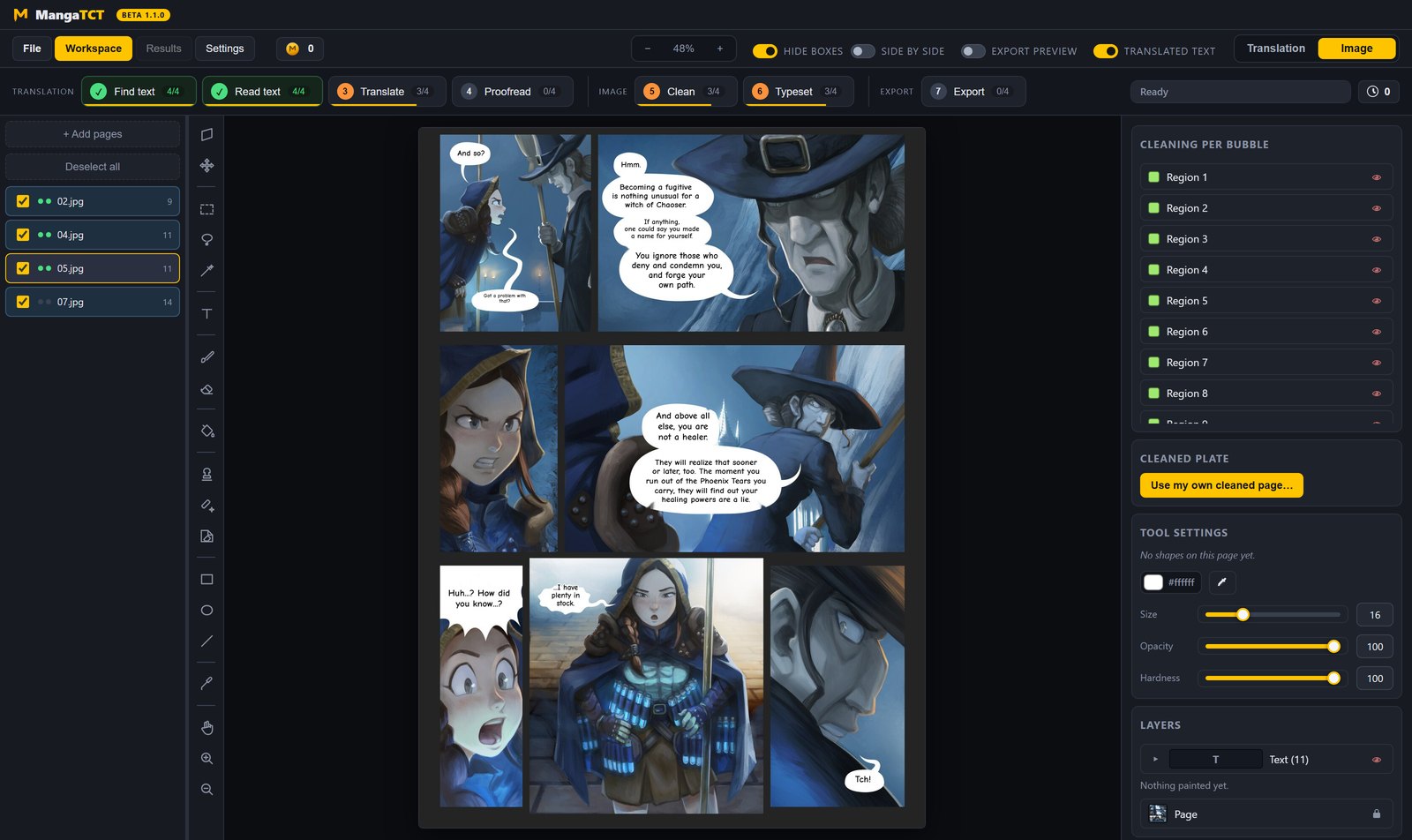
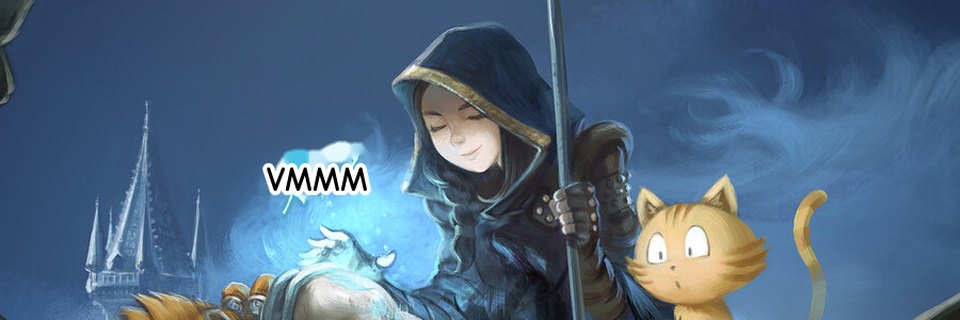
The Japanese comes off. A plain white balloon is filled on your computer; everything else goes to the hosted AI cleaner, a few coins a chapter.
The English goes in, fitted to the balloon. Line breaks first, then size - the words themselves are never touched.
Export
The finished pages. Or the cleaned pages with no text. Or the original art with every box drawn on, for checking.

The screens
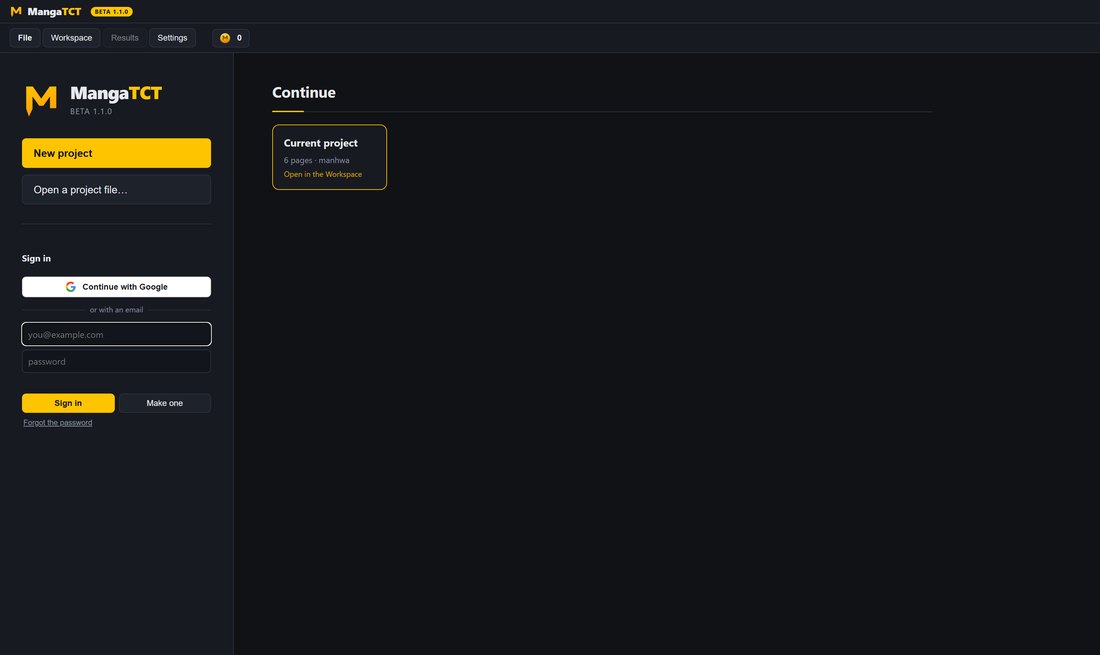
Where the app opens: start a new project or open a project file, sign in, and pick up the chapters you opened before.
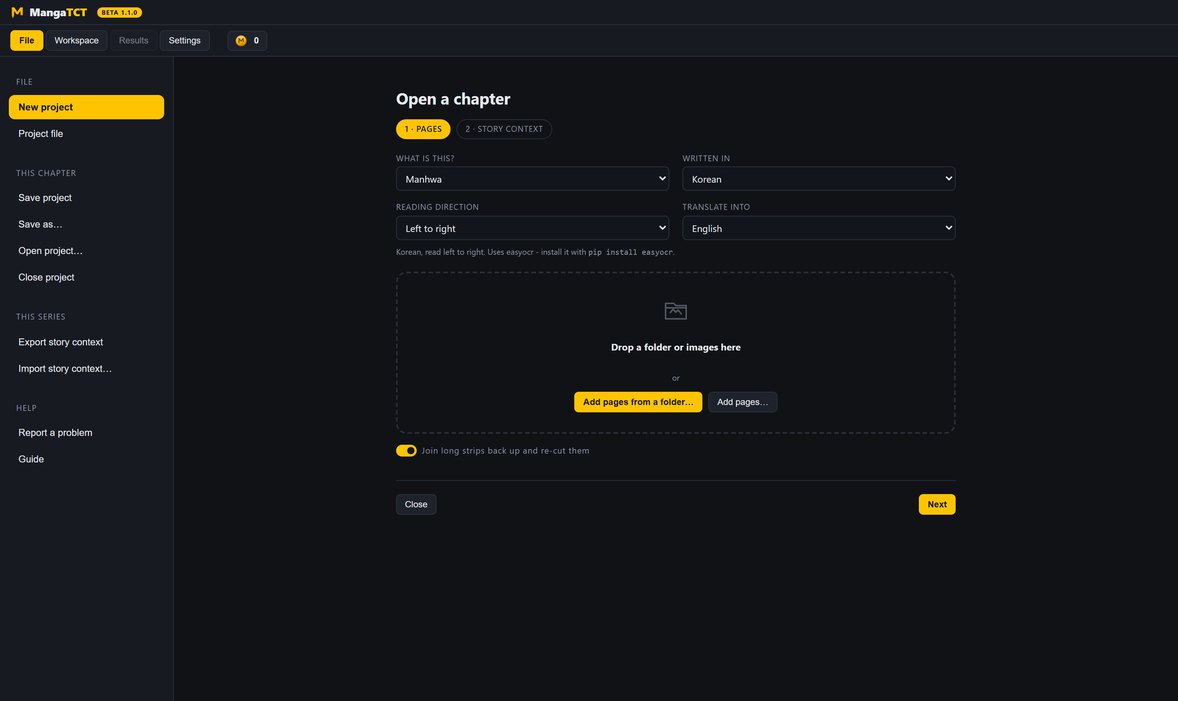
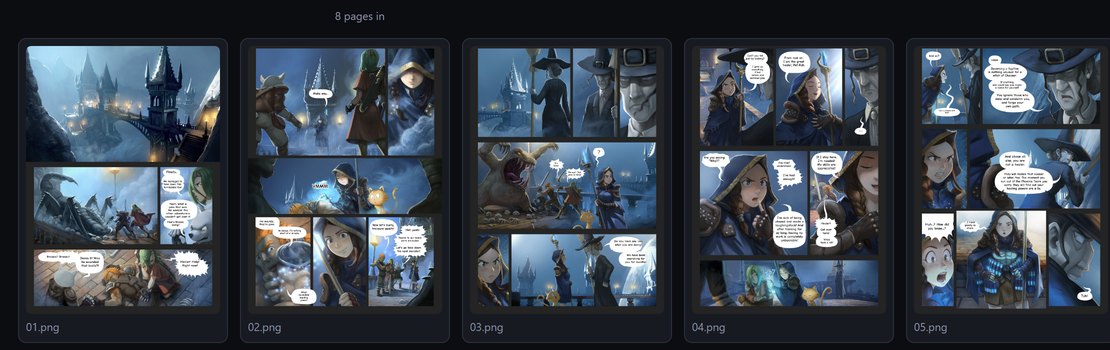
Open a chapter, add pages, reorder them. One screen, one job.
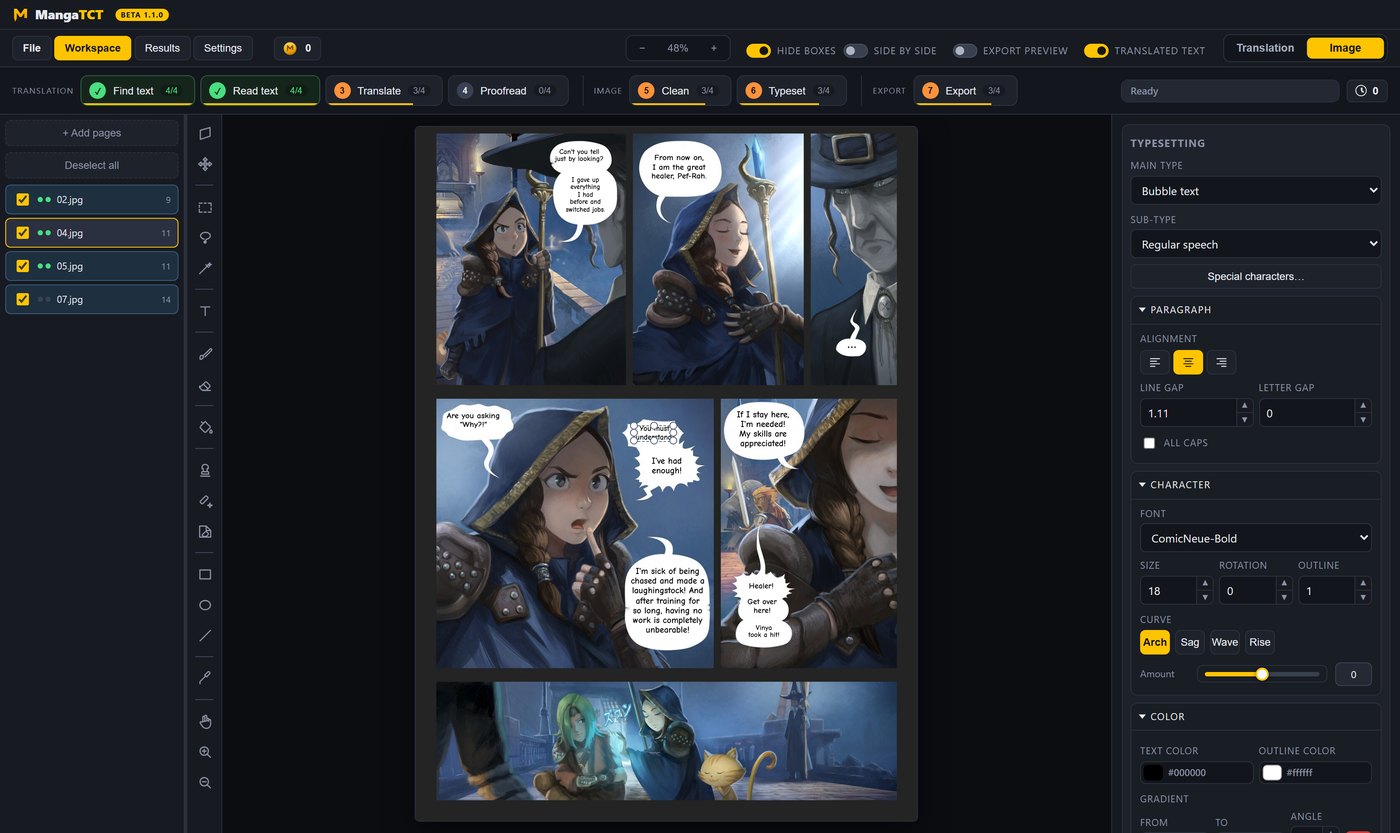
The page. Boxes on the left of the split, typesetting on the right, every tool down the rail. This is where the work happens.
The proofread report and the chapter audit - what the second pass found, page by page, with the original beside it.
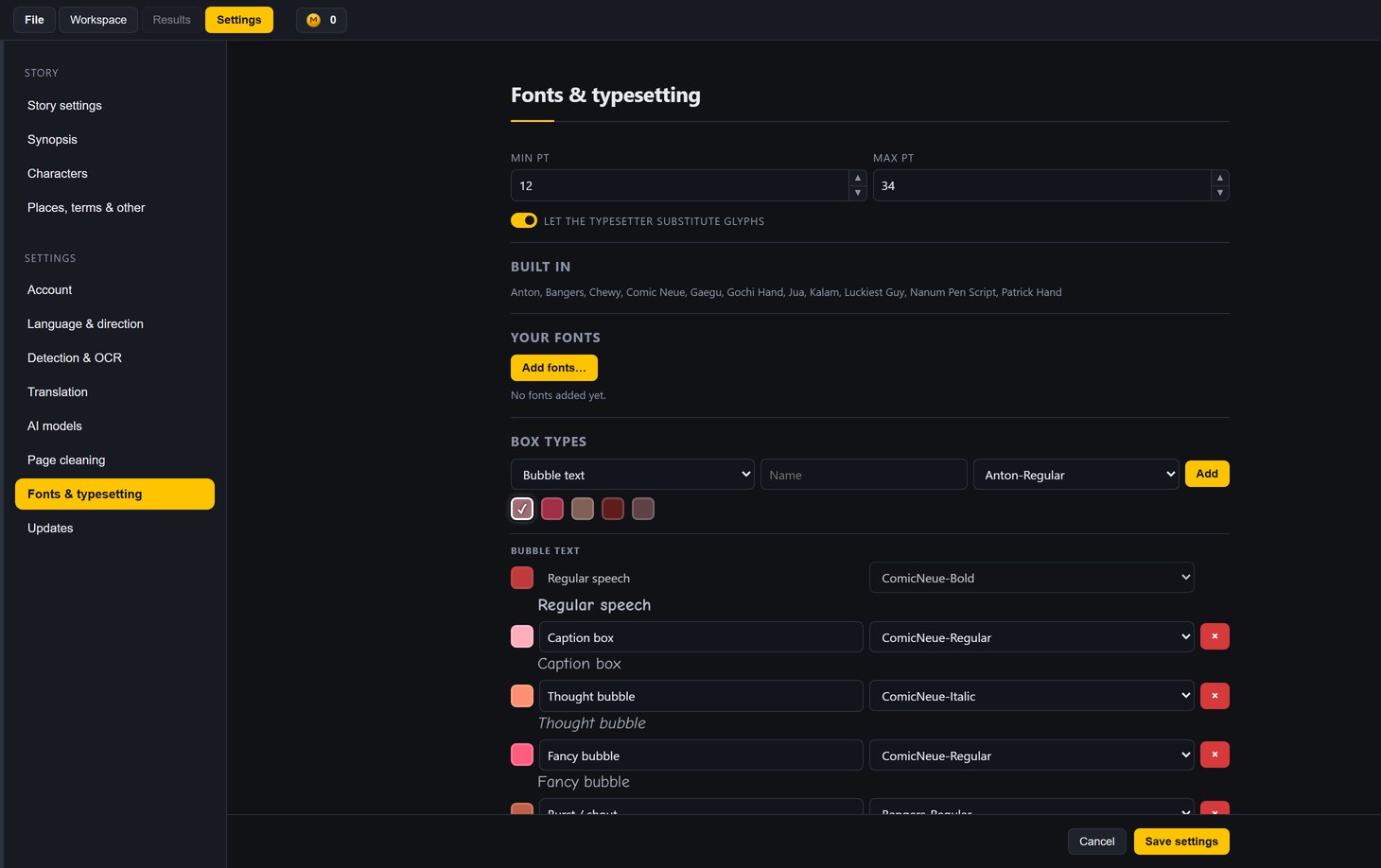
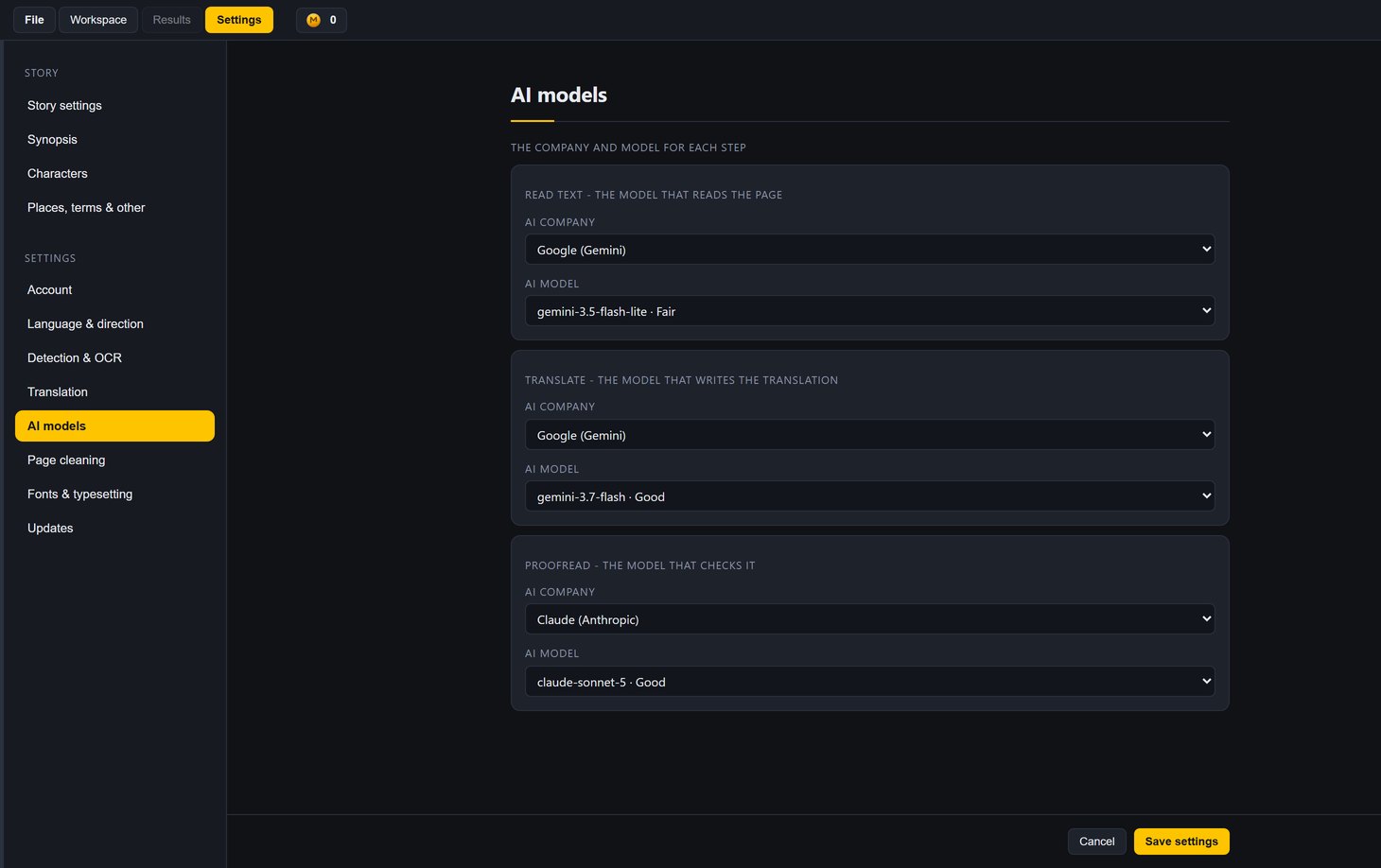
The story, languages, detection and reading, AI models, cleaning, fonts, your account and updates.
Three formats, two jobs
All three are supported end to end. Manga is a different job from the other two - a tool that pretends otherwise hands you a Korean chapter numbered backwards. Manhwa and manhua are the same job in two languages. Here is what actually differs.
The format the rest of it was built around.
JapaneseRight to left
What it does well
One route, two languages. Webtoon strips are cut into pages before anything else runs.
Korean | ChineseLeft to right
What it does well
Everything AFTER the words is the same for all three: cleaning, fitting, typesetting, the effects and the export do not know which format they are working on, and that is deliberate. Out comes English, Spanish, Portuguese or French.
Editorial control
This is the part most tools skip. Everything the pipeline decided is a value you can see and change, on the page, without leaving the editor and without starting again.
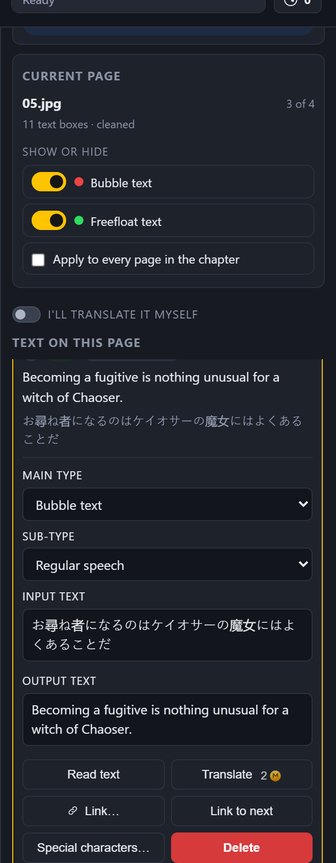
The text list is the translation: one row per piece of source text, what it says and what it will say, and how sure the reader was. Open a row and both are fields - retype either. Change what kind of box it is, split it in two, or link it to the bubble it carries on into.
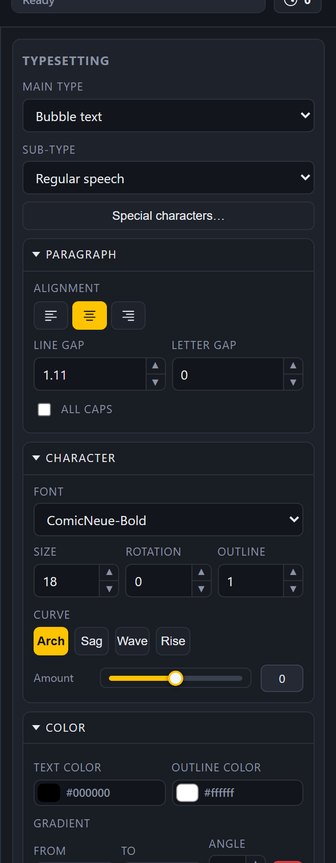
Font, size, rotation, curve, line gap, letter gap, caps. Text color, outline color, both as gradients. Shadow, outer glow, inner glow. Per block - not per page, not per chapter.
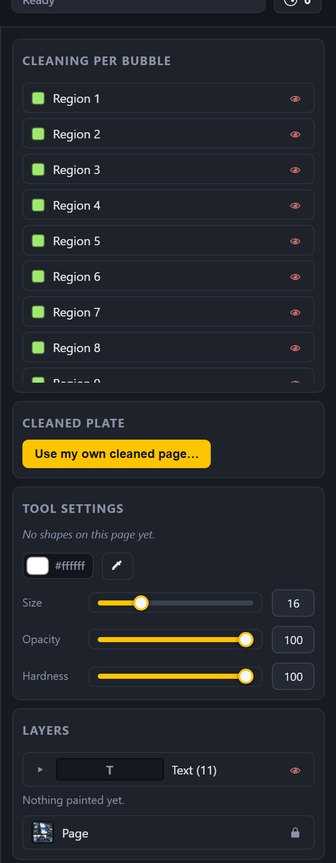
The page says which route cleaned each bubble - filled flat, tone copied, locally, by the AI - so you can see what it did before you trust it. Or drop in your own cleaned plate and skip the step.
What it will not do
A tool that quietly edits your translation to make it fit is not saving you work - it is hiding work you now have to find.
Never reworded to fit, never trimmed, never split across two boxes. The fitter changes the line breaks and the size, and that is all it is allowed to change.
It will not break a word to make it fit. A dash the author typed - S-S-S-SORRY!! - is a different thing and survives exactly as written.
It will not quietly swap a character for one your face happens to have, and it will not hand a line to a different family. If your font is short of a glyph, the box says so.
If a re-run cannot typeset a bubble - a bad font, an empty mask - the typesetting already on the page stays. A blank bubble is never an answer.
Draw a text box and it is independent: no detection behind it, not in the translation list, not counted as text to translate. Uploading a new translation does not sweep it away.
Finding text, typesetting and exporting run on your computer. Reading, translating, proofreading and cleaning send only what that step needs, through MangaTCT, to the service doing it.
The models
Reading, translating and proofreading each take their own AI company and their own model, so you can put a cheap fast one on the reading and a careful one on the words. Claude, Google AI Studio (Gemini), or OpenAI, DeepSeek and Qwen through OpenRouter. Every call goes through MangaTCT and is paid in TCT Coins, with no key to set up.
Every step's run dialog shows its price in coins before you start, for the whole chapter and for the page on screen.
Eight of them, from about 12 coins to several hundred for a 23-page chapter, depending on the model. A hundred coins is a dollar, every one is priced per text box on what it really costs to run, and the calculator on the coins page tells you the number before you spend anything.
The cheapest thing that does the job. Fine for reading text off a page.
Cheap and quick. The default for reading text.
Claude's small one. Better at holding a voice than its price suggests.
Fast, and it thinks before it answers. The default for translating.
Google's newest Flash, at the same price as 3.7 Flash.
The default for proofreading. Catches what the others miss.
Anthropic's large model. Worth it on a page that matters.
The most expensive model on the menu, for the page that has to be right.
TCT Coins
Make an account and verify your email, and it comes with 100 free TCT Coins - enough to read and translate a chapter on a cheap Gemini model before you decide anything. After that you top up, and only the steps that call a model cost anything.
Once your email is verified. No card.
Coins are spent by the steps that call a model: reading, translating, proofreading, and the hosted cleaner.
Finding text, typesetting and exporting. Read text can run on your computer for nothing, and manual translation skips the AI steps.
Compared
Doing it by hand gives you total control and costs you a day a chapter. A one-click translator gives you a chapter in a minute and no way to fix what it got wrong. This sits in the middle on purpose.
| By hand in Photoshop | One-click auto-translate | MangaTCT (beta) | |
|---|---|---|---|
| Detection, reading and translation | by hand, box by box | one pass, whole chapter | one pass, whole chapter |
| Where the English goes | you place every block | you place every block | fitted, then you correct it |
| Change one bubble's font | yes | yes | yes |
| Gradients, glow, curve, rotation per block | yes | yes | yes |
| Draw, clone, heal and erase on the page | yes | yes | yes |
| Reading order enforced across the chapter | you track it | you track it | numbered, and re-numbered when you drag |
| Glossary and character sheet applied to every page | you remember | you remember | carried into every request |
| Runs the model you choose, or none at all | no model | fixed | per step, from five AI companies |
| Translate it entirely by hand | yes | no | yes - a labeled file out, filled in, back |
| Webtoon strips cut into pages | you cut them | rarely | on upload, at the gutters |
| Your own cleaned pages | they are yours | rarely | drop them in |
The middle column describes the general class of one-click page translators, not any single product.
Questions
Windows 10 or 11. The installer brings its own Python, and the first start downloads the text models - about 300 MB, once. No graphics card needed. Reading, translating, proofreading and the hosted cleaner are paid in TCT Coins; finding text, typesetting and exporting run offline.
Finding text, typesetting and exporting never leave your machine. Reading, translating and proofreading send the page, or its text, through MangaTCT to the AI company you picked. Cleaning sends the parts of a page that are not plain white balloons to the hosted cleaner. Read on your computer, translate by hand and stay signed out, and nothing leaves at all.
A chapter uploaded as identical tiles is re-cut into pages near 2,400px on upload, at the gutters, and your tiles are kept. It is done because the detector sees a whole page at one size, so on a 10,000px strip the text arrives too small to find. A single genuinely enormous image that was never tiled is still the weak spot - cut it up first.
English, Spanish, Portuguese and French. The prompt is warned that Spanish and Portuguese run about a fifth longer than English and French about a quarter, because that is the difference between a balloon that fits and one that does not.
Yes. Turn on manual translation and the three model steps go quiet. Download a labeled text file with every box numbered, fill it in, upload it back - or type straight into the page. Sign out and cleaning uses the local fill too.
No. It typesets a chapter today and it is being worked on most days. The parts that have settled - finding text, reading it, translating, cleaning - are the parts that get left alone.